
Billing & pricing
Billing and invoices
See how the account is funded, keep the billing details that appear on invoices, and open or export an invoice for a date range.
Last reviewed · By Intelliprint Team
Billing shows how your account is funded. One account may pay on account. Yours may show different options, so read the labels on the page in front of you.
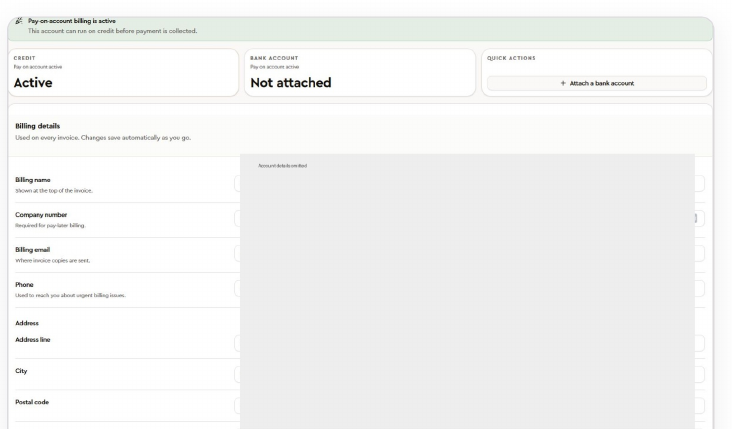
Payment methods and billing details
Open Billing, then Payment Methods, to see your balance, credit or bank-account options. Only go through a payment setup when you mean to change how your prints are paid for.
The billing details form holds your billing name, company number, billing email, phone and address, which appear on your invoices. Changes save automatically as you type, so check each entry before you move on.
Transactions and invoices
Use Balance Transactions to see balance activity. Open Invoices and choose a date range to find a billing period, then check its status, amount due, total and payment method.
View PDF opens an invoice and Export data downloads its supporting data. Check whether an invoice is pending or paid, and contact Support if the figures or billing details need looking into.